
A promotional link can look like a tiny part of a marketing campaign, but when that link stops working, the consequences can be much bigger than most businesses realise.
A Facebook advert may still be running. A WhatsApp broadcast may still be circulating. An old blog post may still be receiving Google traffic. A QR code may still be printed on hundreds of flyers.
But if the destination behind the link is no longer available, every visitor who clicks it can become a lost opportunity.
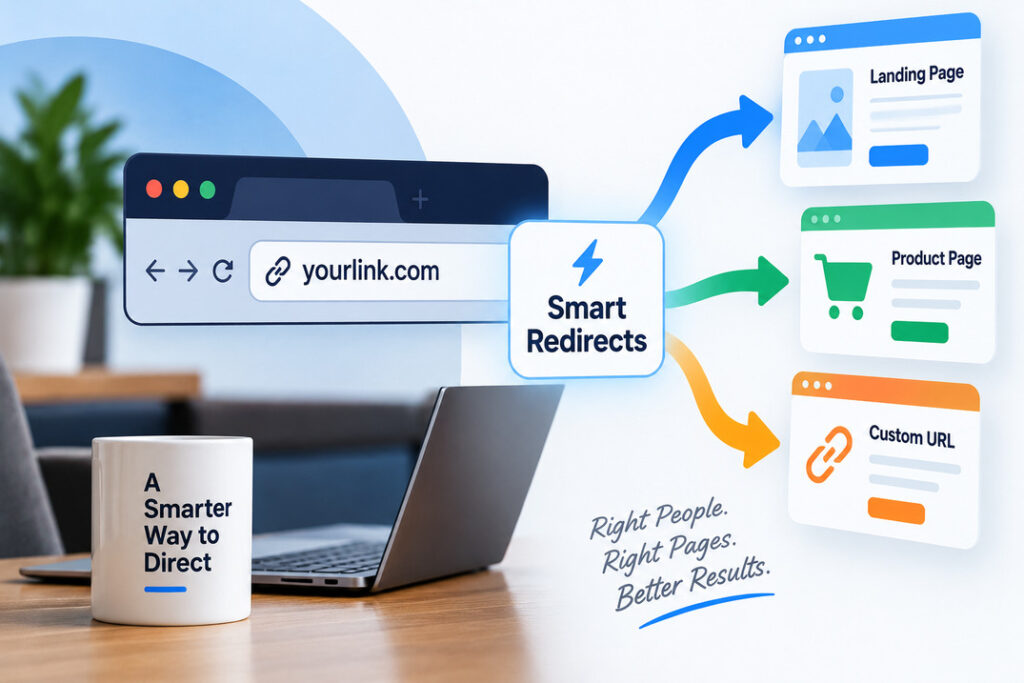
This case study looks at how a Nigerian business could use LinksPally smart redirects to reduce this risk by putting a manageable redirect layer between promotional links and their final destinations.
The important idea is simple:
Instead of publishing a destination URL everywhere, publish a LinksPally redirect that you control.
When the destination changes, you update the redirect instead of hunting through every advert, social post, email, blog article, flyer or campaign asset where the original link was published.
The Business Problem
Consider a Nigerian digital business selling an online training programme.
Over several months, the business promoted its offer through:
- Facebook and Instagram advertising
- WhatsApp marketing
- Email campaigns
- Blog posts
- YouTube descriptions
- Influencer promotions
- QR codes
- Printed marketing materials
- Direct messages
- Affiliate campaigns
Initially, the business sent traffic directly to its sales page.
That seemed perfectly reasonable.
The campaign URL might have looked something like:
https://linkspally.com/product/online-marketing-training/
The problem started when the business changed its sales process.
The original sales page was replaced with a new landing page.
Some promotional campaigns were updated.
Others were not.
Old blog posts still contained the previous URL. Some WhatsApp messages had already been sent. Printed materials could not be changed. An influencer had already published the original link.
The business had created a common marketing problem:
It no longer controlled all the places where its old destination URL had been published.
What Happens When a Promotional Link Breaks?
There are several possible outcomes.
The old page might:
- return a 404 error
- redirect incorrectly
- display an outdated offer
- point to a discontinued product
- send visitors to the homepage
- lead to an expired campaign
- display an irrelevant landing page
- continue accepting traffic even though the promotion has ended
From the customer’s perspective, the experience can be even worse.
Imagine clicking an advertisement promising:
“Get the complete digital marketing training today.”
You expect to see the advertised offer.
Instead, you see:
“Page not found.”
The visitor may simply leave.
There is no guarantee that they will search for the business again.
This is particularly painful when the business has already paid to acquire that visitor.
The Hidden Cost of Broken Promotional Links
Broken links are not just a technical inconvenience.
They can create several business problems simultaneously.
1. Wasted advertising spend
If a paid advertisement sends visitors to a broken page, the business can continue paying for clicks that cannot produce the intended conversion.
2. Lost leads
A visitor who encounters a dead page may never reach the lead form, WhatsApp number or contact information.
3. Lost sales
If the visitor was ready to buy, a broken destination can directly interrupt the purchase journey.
4. Poor customer experience
Visitors expect marketing promises and landing pages to match.
A broken destination damages that experience.
5. Campaign management headaches
Marketing teams may have to search through old campaigns and manually replace URLs.
6. Outdated promotions
Even when the page works, an old campaign may continue promoting an offer that no longer exists.
7. Offline marketing becomes difficult to correct
A QR code printed on a banner or flyer cannot easily be changed.
This is where a controllable redirect becomes particularly useful.
The Traditional Solution
The business initially tried to solve the problem by searching for every place where the old URL had been used.
The team checked:
- Facebook campaigns
- Blog posts
- Emails
- WhatsApp messages
- YouTube descriptions
- Influencer campaigns
- Internal documents
This approach worked only partially.
There was no reliable way to know that every published URL had been found.
Some links were already outside the business’s control.
An influencer had published one.
A customer had shared another.
An old PDF contained another.
Printed flyers were still circulating.
The business needed a better architecture.
The Better Approach: Put a Smart Redirect in the Middle
Instead of advertising the final destination directly, the business created a LinksPally redirect.
The structure became:
Customer → LinksPally smart link → Current destination
For example:
Before
Customer → old sales page
After
Customer → linkspally.com/go/training → current sales page
The important difference is that the public promotional URL remains under the business’s control.
If the destination changes later, the business can update the destination associated with the LinksPally redirect.
The published promotional link can remain unchanged.
How LinksPally Solves the Problem
LinksPally is designed for WordPress and provides a redirect management system that can sit between a public link and its destination.
At the code level, the plugin contains a dedicated redirect handler and redirect infrastructure for processing these requests.
That means the business can create a managed redirect rather than repeatedly publishing the final destination URL everywhere.
This creates a valuable separation:
The URL customers know does not have to be the same URL the business is currently sending them to.
That distinction becomes increasingly valuable as campaigns become more complex.
Step 1: Create a Stable Promotional Link
Suppose the business is promoting an online course.
Instead of publishing the actual checkout or sales-page URL everywhere, it creates a LinksPally URL such as:
linkspally.com/go/digital-marketing
The business can then use this same promotional URL in:
- Facebook advertisements
- Instagram profile
- WhatsApp messages
- YouTube descriptions
- Blog posts
- Email campaigns
- QR codes
- Flyers
- Affiliate promotions
The public link becomes a stable campaign asset.
Step 2: Set the Current Destination
The LinksPally redirect points visitors to the current sales page.
For example:
linkspally.com/go/digital-marketing
sends visitors to:
linkspally.com/digital-marketing-training/
The customer does not need to know how the redirect is managed.
They simply click the promotional link and arrive at the appropriate destination.
Step 3: Change the Destination When the Campaign Changes
Now imagine the business launches a new sales page.
Instead of searching through every marketing channel to replace the old URL, the business can update the destination associated with its managed redirect.
The public promotional link remains the same.
This is particularly useful when a campaign has already been distributed widely.
Step 4: Keep Using the Same Campaign Asset
The business can continue using the same managed link.
This creates a much cleaner campaign management workflow.
For example:
Campaign link
linkspally.com/go/course
Current destination
linkspally.com/course-v2/
Later:
Campaign link
linkspally.com/go/course
New destination
linkspally.com/course-black-friday/
The business has changed the destination without necessarily having to change every place where the campaign link was published.
Why This Matters for Nigerian Businesses
This approach is particularly useful in markets where businesses frequently promote products across multiple channels simultaneously.
A typical campaign might combine:
Facebook + Instagram + WhatsApp + email + website + YouTube + influencers + offline advertising
Once a URL has been distributed across all these channels, changing it everywhere becomes difficult.
WhatsApp introduces another challenge.
Messages can be forwarded.
A customer may save the link.
Another person may receive the link months later.
The business cannot realistically control every copy of a URL once it has been distributed.
A managed redirect gives the business a central point of control.
A Realistic Example: A Training Business in Lagos
Let’s take a practical example.
Imagine a training company in Lagos promoting a six-week digital marketing programme.
The company creates a campaign link:
academy.com/go/digital-marketing
The link is used in:
- Facebook Ads
- WhatsApp status campaigns
- WhatsApp broadcasts
- Instagram bio
- YouTube videos
- Google Business Profile posts
- Blog articles
- Printed brochures
- QR codes at events
The initial offer is:
₦150,000 Digital Marketing Programme
Three months later, the business changes the offer.
The new programme is:
₦200,000 Digital Marketing & Growth Programme
Without a managed redirect, the business has to find and replace every old destination URL.
With a LinksPally redirect, the campaign URL can remain:
academy.com/go/digital-marketing
while the destination changes to the new landing page.
The marketing team has one central place to manage the destination.
What About a QR Code Printed on a Flyer?
This is one of the most useful applications.
Suppose a company prints 5,000 flyers containing a QR code.
The QR code points to:
academy.com/go/register
Six months later, the company changes its registration page.
The flyers are already distributed.
The QR code cannot be reprinted.
But the QR code does not necessarily need to point directly to the registration page.
Instead:
QR Code → LinksPally redirect → Current registration page
If the registration page changes, the business can update the redirect destination.
The printed QR code can continue to work.
This makes managed redirects particularly useful for offline-to-online marketing.
Smart Redirects Are More Than a Broken-Link Solution
The biggest advantage of a redirect management system is that the same architecture can support more sophisticated campaigns.
For example, LinksPally supports conditional redirect logic.
That means a single public link can potentially produce different destinations depending on the visitor or campaign context.
A business could create a campaign architecture such as:
One public campaign link
↓
LinksPally
↓
Determine relevant condition
↓
Send visitor to appropriate destination
This opens the door to more advanced campaign personalisation.
Example: Different Destinations for Different Devices
Suppose an application company promotes one campaign link.
Desktop visitors may need a web-based registration page.
Mobile visitors may need a mobile-optimised page or application-related destination.
Instead of creating completely different promotional links for every situation, the campaign can use conditional redirect rules.
This reduces the number of public links the marketing team has to manage.
Example: Different Destinations for Different Countries
Imagine a business selling online services across Nigeria, Ghana and Kenya.
The offers may differ by market.
A single campaign URL can potentially route visitors according to geographic rules.
For example:
Nigeria → Nigerian offer
Ghana → Ghanaian offer
Kenya → Kenyan offer
This can make international campaigns easier to manage.
Example: Different Destinations Based on Campaign Source
Suppose a company has one product but several acquisition channels.
Visitors arriving from one campaign may need one landing page.
Visitors arriving from another campaign may need a different version.
LinksPally’s conditional redirect capabilities can use information such as referrer and incoming tracking parameters to support campaign-specific routing.
That means the redirect can become part of the campaign logic rather than simply being a shortened link.
Protecting Campaign Attribution
Another problem businesses encounter is losing tracking information during redirects.
Suppose a marketer publishes a campaign link with UTM parameters.
The campaign might contain information such as:
- campaign name
- traffic source
- medium
- content
- term
If those parameters are lost during the redirect process, campaign reporting can become much harder.
LinksPally includes UTM/query-parameter handling designed to preserve relevant incoming tracking information when sending visitors to the destination.
This helps maintain continuity between:
Campaign → Redirect → Landing page → Analytics
That connection is important when the goal is not simply to count clicks, but to understand which marketing activity produced results.
Smart Redirects Plus Analytics
A managed campaign link can also provide visibility into how visitors interact with it.
LinksPally includes click and unique-click tracking as part of its analytics infrastructure.
This changes the question from:
“Did people click our link?”
to:
“How is this particular campaign link performing?”
For example, a business could maintain separate LinksPally links for:
- YouTube
- Influencer A
- Influencer B
- Offline QR code
Each link can then provide a clearer view of traffic activity.
Smart Redirects Can Also Help With Campaign Expiration
Not every link should remain active forever.
Consider a business running a promotion from September 10 to September 30.
After September 30, the old offer should no longer be promoted.
LinksPally includes time-based and click-based expiration capabilities.
This means campaigns can be configured to stop functioning after a defined period or number of clicks.
That can reduce dependence on manual campaign shutdown.
What the Business Achieved
Returning to our hypothetical Nigerian training company, the biggest improvement was not simply that its links became “shorter.”
The real improvement was control.
The business gained a central mechanism for managing campaign destinations.
Instead of thinking:
“Where have we published this URL?”
the marketing team could think:
“What should this campaign URL point to now?”
That is a much more manageable problem.
Before and After
Problem | Traditional Approach | Smart Redirect Approach |
|---|---|---|
Sales page changes | Find and replace old URLs | Update the redirect destination |
Printed QR codes | Reprint materials | Keep the QR destination stable |
Influencer links | Contact influencer to change link | Update destination centrally |
WhatsApp links | Previously sent links remain unchanged | Existing links can continue pointing to the current destination |
Campaign tracking | Often fragmented | Link-level tracking can provide additional visibility |
Campaign expiration | Manual shutdown | Configure expiration rules |
Multiple audiences | Multiple public URLs | Conditional redirect rules can route visitors |
Destination management | Distributed across channels | Centralised in WordPress |
The Key Lesson
A promotional URL should be treated as a marketing asset, not merely as a destination address.
Once a link has been published across advertising campaigns, social media, email, websites, QR codes and printed materials, changing the destination should not require changing the asset everywhere.
That is the fundamental value of smart redirects.
The business publishes a stable link.
LinksPally manages where that link sends visitors.
The destination can evolve while the public campaign link remains useful.
When Should You Use a Smart Redirect?
A smart redirect is particularly useful when:
You run paid advertising
Campaign destinations may change frequently during testing and optimisation.
You run affiliate campaigns
Partners may already have published your promotional URL.
You use WhatsApp marketing
Messages can be forwarded and saved long after they are sent.
You use QR codes
Printed QR codes cannot easily be changed after distribution.
You run influencer campaigns
You may not control every location where an influencer has published your link.
You operate multiple landing pages
A central redirect makes destination management easier.
You frequently run promotions
Seasonal offers and campaigns often have changing destinations.
You manage campaigns for clients
A central redirect system can simplify campaign maintenance across multiple projects.
How to Implement the Strategy With LinksPally
A practical implementation can follow this workflow.
1. Identify important campaign destinations
Create a list of URLs currently being used for:
- Advertising
- Lead generation
- Product sales
- Events
- Webinars
- Affiliate campaigns
- WhatsApp campaigns
- Offline promotions
2. Create stable LinksPally URLs
Give each important campaign a memorable redirect.
For example:
/go/course
/go/webinar
/go/register
/go/offer
/go/contact
3. Replace direct destination URLs in new campaigns
From this point forward, use the managed LinksPally URL wherever practical.
4. Add tracking parameters where appropriate
Use campaign tracking so you can understand where traffic originated.
5. Monitor performance
Review click activity and campaign performance.
6. Update destinations centrally
When the landing page changes, update the destination behind the campaign URL.
7. Configure expiration for temporary campaigns
Use time-based or click-based rules when an offer has a defined lifespan.
8. Consider conditional routing for advanced campaigns
Once basic redirect management is working, introduce device, country, referrer, UTM or time-based rules where there is a genuine business reason.
Common Mistakes to Avoid
Mistake 1: Creating redirects for absolutely everything
Not every internal URL needs a redirect layer.
Focus on important marketing, campaign and externally distributed URLs.
Mistake 2: Treating a redirect as a replacement for proper SEO redirects
Marketing redirects and SEO site migration redirects serve different purposes.
If you are permanently restructuring your website, implement the appropriate WordPress/server-side SEO redirect strategy as well.
Mistake 3: Ignoring tracking
A redirect is much more useful when campaign attribution is preserved and measured.
Mistake 4: Never reviewing old campaigns
Even managed links should be audited periodically.
Mistake 5: Sending every audience to the same destination
If different audiences genuinely need different experiences, consider conditional routing rather than forcing everyone through the same page.
Frequently Asked Questions
What is a smart redirect?
A smart redirect is a managed URL that sends visitors to another destination while giving the marketer control over the routing process.
Instead of publishing the final destination everywhere, you publish a controlled redirect URL.
Why use a smart redirect instead of linking directly to a landing page?
The main advantage is control.
If the landing page changes, you can update the destination associated with the managed link instead of replacing the link everywhere it has already been published.
Can LinksPally help prevent broken promotional links?
Yes. LinksPally provides managed redirects and also includes link health monitoring functionality designed to detect unreachable destinations and notify administrators.
Can I change where a LinksPally link sends visitors?
Yes. The purpose of the redirect architecture is to separate the public campaign URL from its destination, allowing the destination to be managed centrally.
Can smart redirects be used with QR codes?
Yes. A QR code can point to a stable LinksPally URL. If the destination later changes, the redirect destination can be updated without changing the printed QR code.
Can LinksPally redirect visitors based on their device?
Yes. LinksPally’s conditional redirect functionality can use device-related conditions to route visitors differently.
Can LinksPally target visitors by country?
Yes. Country-based conditional redirect rules are supported.
Can LinksPally preserve UTM parameters?
LinksPally includes UTM and query-parameter passthrough functionality so relevant campaign information can continue to the destination.
Does a smart redirect improve SEO by itself?
Not necessarily.
The primary value of a smart redirect is campaign and destination management. SEO results depend on how the redirects are configured and used, the destination pages, site architecture and the overall search strategy.
Is a smart redirect useful for WhatsApp marketing?
It can be extremely useful when the same campaign URL is shared repeatedly through WhatsApp. A managed destination gives the business more control over where people are sent after clicking the link.
Final Takeaway
The real problem with broken promotional links is not the broken URL itself.
It is the loss of control that happens after a marketing URL has been distributed across multiple channels.
A business can change a landing page in seconds.
It cannot necessarily change every copy of the old URL that has already been published.
That is why a controlled redirect layer can become an important part of a modern marketing infrastructure.
With LinksPally, businesses can create managed redirect links, control destinations, track clicks, preserve campaign parameters, apply conditional routing and configure link lifecycle rules from within WordPress.
For businesses running advertising, affiliate campaigns, WhatsApp marketing, email campaigns, QR-code promotions or frequently changing offers, the principle is simple:
Publish a link you control. Then let the destination evolve behind it.